Release notes v222 - 19 October 2026
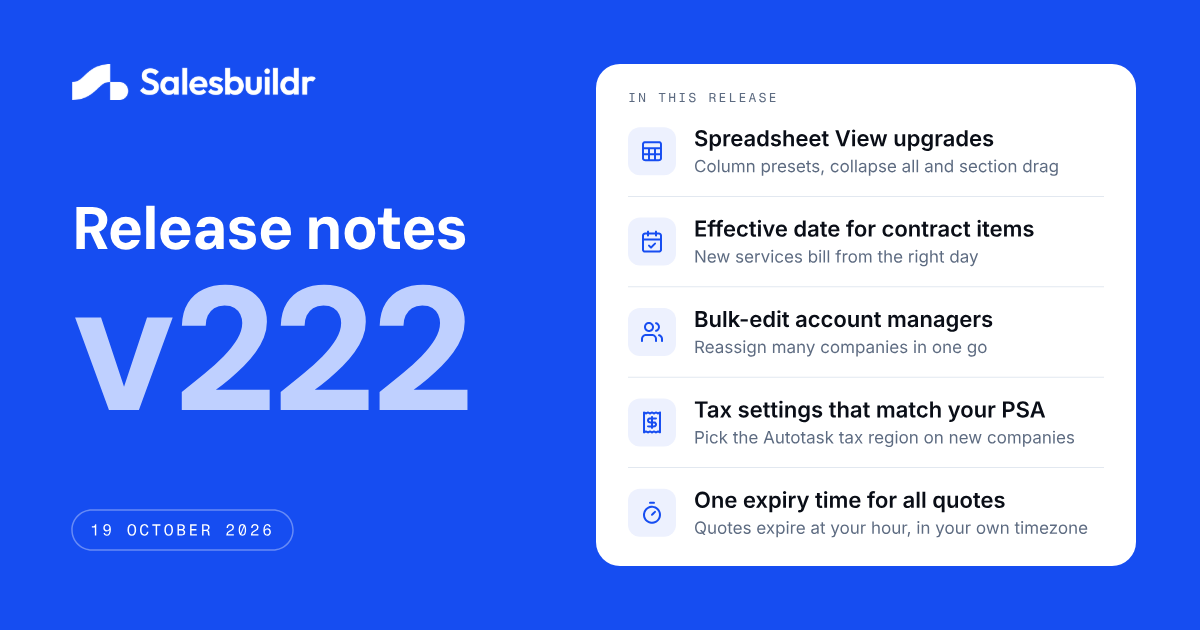
This release brings four upgrades to Spreadsheet View for Salesbuildr Pioneers, built straight from their feedback, and introduces four customer-visible improvements: an effective date when you add quote items to an existing contract, bulk editing of account managers, company tax settings that match your PSA, and one expiry time for all your quotes. It also includes a broad set of fixes across quotes, products, storefront and PSA synchronization.
🧪 Spreadsheet View — four upgrades from Pioneers feedback
The first Pioneers posts on their feedback board have already turned into new features. Spreadsheet View now shows the full structure of your quote and lets you shape the table to the way you work:
Your own column layout: drag columns into the order you want, save the layout as a named preset and switch presets from the toolbar in one click. Presets are stored with your account, so they follow you to any browser or device
Collapse all sections: see the outline of a large quote in one click. Collapsed sections show their number of products and their total
Drag whole sections: move a section up or down and all its products, add-ons and bundle items move with it. The new order is what your customer sees after you save
Text, summary and other content in place: non-product content such as text, images and the summary now appears as a slim row in its real position, so the table matches your customer's quote and PDF
Spreadsheet View is available to Salesbuildr Pioneers. Want early access to this and future betas? Join the Pioneers at www.salesbuildr.com/pioneers.
📄 Contracts — choose the effective date for new contract items
When you add the items of an approved quote to an existing contract in your PSA, you now choose the Effective date of the new lines. It's prefilled with today. Before, the new lines took over the original start date of the contract, so services sold today could be billed from years ago. This works for Autotask, ConnectWise and HaloPSA. Dates outside the contract period are rejected before anything is sent, and a date in the past shows a warning that your PSA may prorate or reject already-invoiced periods.
What this improves
New services start billing on the right date
No more correcting every contract line in your PSA after the push
Fewer invoice corrections towards your customers
👤 Companies — change the account manager for many companies at once
Account manager is now available in the bulk edit of your Companies overview. Select the companies, choose the new account manager and save. The change shows everywhere you filter on account manager, and it reaches Autotask and HaloPSA the same way a single company edit does. On ConnectWise the dialog tells you that the account manager is not updated in your PSA. You can update up to 100 companies at a time.
What this enables
Hand over a full portfolio in minutes when a rep leaves or accounts are reassigned
Keep company, opportunity, quote and contract overviews filtered on the right person
🔗 Companies — tax settings that match your PSA
Companies in Salesbuildr now show the tax setting your PSA uses for quoting. On Autotask, you pick the Tax region when you create a company in Salesbuildr, and that region is sent to Autotask with the new company, so quotes for that client use the right tax from the start. Once Autotask owns the company, the region is shown read-only. Companies imported from Autotask or ConnectWise show the tax setting held in your PSA.
What this improves
New clients in regions with their own tax rate are quoted at the correct rate
No silent fallback to your PSA's default tax region
One place to check a company's tax setting before you send a quote
⏰ Quote expiry — one expiry time for all your quotes
You now set the expiry date of a quote, and the time of day comes from one account-wide setting: Quotes expire at, under Settings → Platform, next to your Account timezone. The default is 23:59, the end of the day. Quotes now expire at exactly that time in your own timezone, wherever you are, and HaloPSA receives the same expiry date you see in Salesbuildr.
What this improves
Quotes expire on the day and at the hour you expect, also outside Europe
Your customers see the same expiry date in the quote, the PDF and your PSA
✨ Other improvements
Opportunity details in quotes: The PSA opportunity ID and link are now available as merge fields in quote content widgets, under the same names as in your email templates:
{{quote.opportunity.externalIdentifier}}and{{quote.opportunity.externalLink}}. They show in the quote and the PDF.Dynamic pricing stays dynamic: Running Synchronize products and services from your PSA no longer overwrites a product's dynamic distributor pricing with a fixed price and cost.
Sync warning before you send: When a quote line hasn't synced to ConnectWise or HaloPSA yet, you now see it on the line itself before you click Send.
🛠️ Stability improvements
Quotes and editor
The default payment term from your template is filled in on new quotes again
New widgets are added at the position you selected
Colours, cover and font are kept when you create a template from a quote
Unlisted Vimeo videos embed correctly in media widgets
Changing the distributor on a quote line suggests that distributor's actual cost
The client approval page no longer shows stray colons on translated fields
Users with a viewer licence can open approved quotes that use a price book
Audit trail
Quote views by your customer are recorded in the audit trail
An internal Mark as sent is no longer shown as sent to the customer
Products and pricing
Pax8 cost and price are shown in your own currency
A deleted category no longer comes back on a product after an Autotask update
Bulk editing HaloPSA service items offers service categories
The procurement warning on ConnectWise products explains when it applies
Storefront
A 0% discount shows the standard sell price instead of a crossed-out duplicate
New contacts are no longer allowed to place storefront orders by default
Companies, users and dashboard
The procurement permission is only shown when procurement is turned on
Contacts synced with Autotask show the Autotask icon in the profiles list
The 12-month one-time revenue total on the dashboard is no longer rounded down
Autotask
When you create an Autotask ticket from an approved quote, one product that can't be added as a charge no longer stops the other products, shipping, note and Quote Link from syncing. Service and labour lines show why they aren't added as ticket charges
Inactive contracts no longer appear on the Contract Expirations view
HaloPSA
Billing period and term of recurring items are set on new HaloPSA sales orders
These changes don't add major new functionality, but they reduce friction and improve day-to-day trust in the platform.
🔭 In progress
Salesbuildr 2.0: We're working on a complete design overhaul of the Salesbuildr interface: a cleaner, more consistent look across the whole platform. More on this in the coming releases.
Quote versioning: Quote edit history, restoring previous versions and clear version updates for your customers.
Quote editing through the Public API: Letting integrations update draft quotes after creation, with final actions staying in your hands.
AI connections (MCP): A secure way for compatible AI tools to find Salesbuildr information and help build quotes, with access controlled by tenant administrators.
Features under development are subject to change. Follow the feedback portal for updates.